Install the app
Put the game on your home screen and it opens full screen in one tap, like any other app. It takes a few seconds and needs no app store.
You are on Android: start here.
You are on an iPhone or iPad: start here.
Open the game
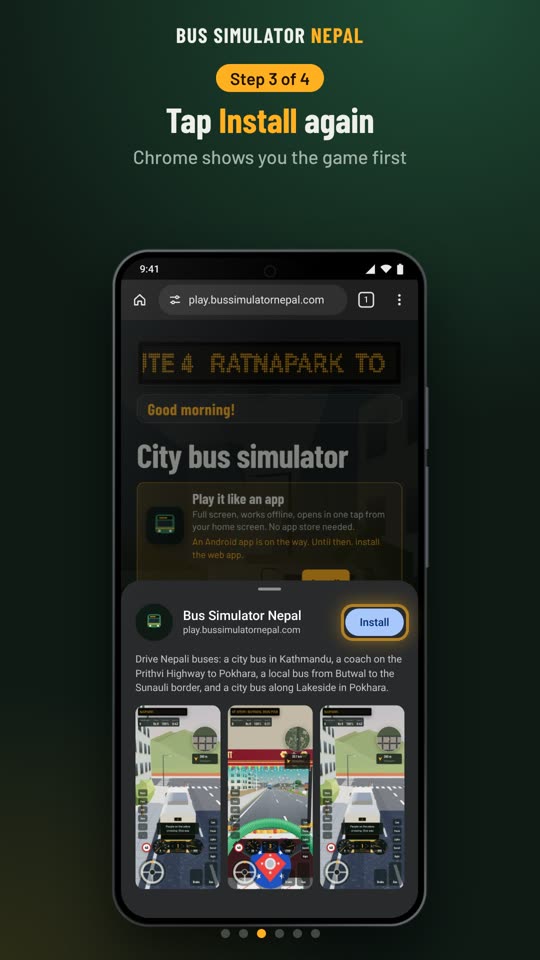
Go to bussimulatornepal.com in Chrome and tap Play now. On the game's start screen, tap Install, or the small Install app button.
No button? Use the menu
Tap the menu ⋮ at the top right, then Install app or Add to Home screen.
Confirm
Chrome asks if you want to install it. Tap Install.
Play from the icon
The bus icon is now on your home screen (or in your apps list). Tap it to play full screen.
In Samsung Internet, tap the install icon in the address bar, or the menu ☰, then Add page to and Home screen. In Firefox, open the menu ⋮ and tap Install or Add to Home screen.
iPhone and iPad
These steps are for Safari. An iPhone has no Install button, so you add the game from the Share menu.
Open it in Safari
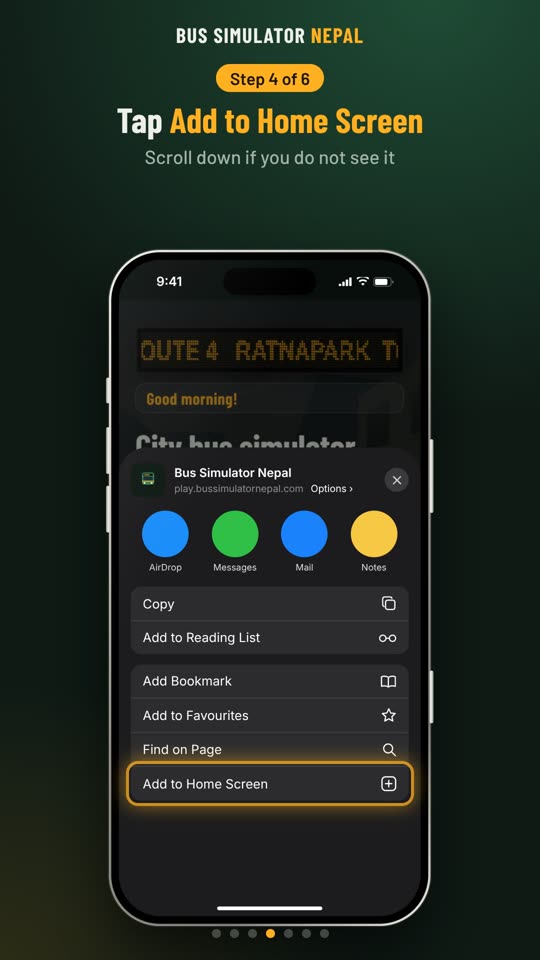
Go to bussimulatornepal.com in Safari and tap Play now. In the game, tap Share at the bottom. On iOS 26, tap ··· first, then Share.
Add to Home Screen
Scroll down the list and tap Add to Home Screen.
Tap Add
Keep the name or change it, then tap Add at the top right. If you see Open as Web App, leave it on.
Play from the icon
The bus icon is now on your Home Screen. Tap it to play full screen.
On an iPad, Share is at the top right. In Chrome on an iPhone, tap Share in the address bar, then Add to Home Screen.
Computer
In Chrome or Edge on Windows, Mac or a Chromebook, click the install icon at the right of the address bar, then Install. You can also find Install in the browser menu. In Safari on a Mac, open the File menu and choose Add to Dock.
Why install it
- Opens full screen from its own icon, with no address bar in the way.
- Plays without internet once it has loaded on your phone. Signing in and the leaderboards need internet.
- Updates itself when you are online. There is nothing to download again.
- It is the same game as in the browser, with every route and bus.
Good to know
- Keep your progress: on an iPhone the app keeps its own copy of your game, apart from Safari. Sign in and your scores, stars and settings follow you into the app.
- No Install button? If you opened the game from Facebook, TikTok or another app, open it in Chrome or Safari first: tap ··· and Open in browser.
- To remove it, press and hold the icon and choose Uninstall (Android) or Remove App (iPhone).
- An Android app for the Play Store is on the way. Until then, this is the way to play like an app.